
16 Dos and Don’ts of Imagery in Ecommerce Emails (+Examples)
There’s just something so awe-inspiring about big, beautiful imagery in ecommerce emails.
Investing in high-quality original imagery should be a linchpin in your overall ecommerce marketing strategy—especially email. Images are critical for ecommerce because shopping online requires a higher level of trust.
No one wants to spend their lunch break at the post office returning an item or fighting with customer service to refund their money. Images (especially user-generated photos) help customers understand what they’re paying for.
The dos and don’ts of how to optimize imagery in ecommerce emails + examples
You’re under a lot of pressure to get your imagery in ecommerce emails right. Just as high-quality images can boost trust, low-quality or irrelevant images can have the opposite effect. Follow these dos, don’ts, and examples to up your image game.
1. Do use flyer-style imagery in ecommerce emails.
Flyer-style images use large graphics with text overlays to look more like a magazine or landing page. They look slick.
While some negative space is smart to keep things organized, too much can force mobile users to scroll through several screens before they find anything useful. Be mindful of your imagery in ecommerce emails.
Zenni uses a stunning flyer-style here with high-quality images to promote their summer line. However, each section is still small enough to fit on a phone screen.

2. Don’t design image-only emails.
It’s tempting to design your graphics with text inside them—don’t. Business email clients, for example, keep images off by default for safety reasons.
Plus, all-image ecommerce emails make your content totally inaccessible for people with vision disabilities who rely on screen readers.
3. Do make sure your images relate to the topic.
Ideally, choose images that relate to your topic or products directly. Stock photos are cost-effective and convenient, but they aren’t usually relevant enough for your brand.
For example, when an airline used a stock photo of a surfer to promote their flights to New Zealand, readers reported it as “unconvincing” and “unimpressive” because the image wasn’t directly relevant to the content.
If you do use stock photos, make sure they fit with your message on every level and don’t look like generic stock photos.
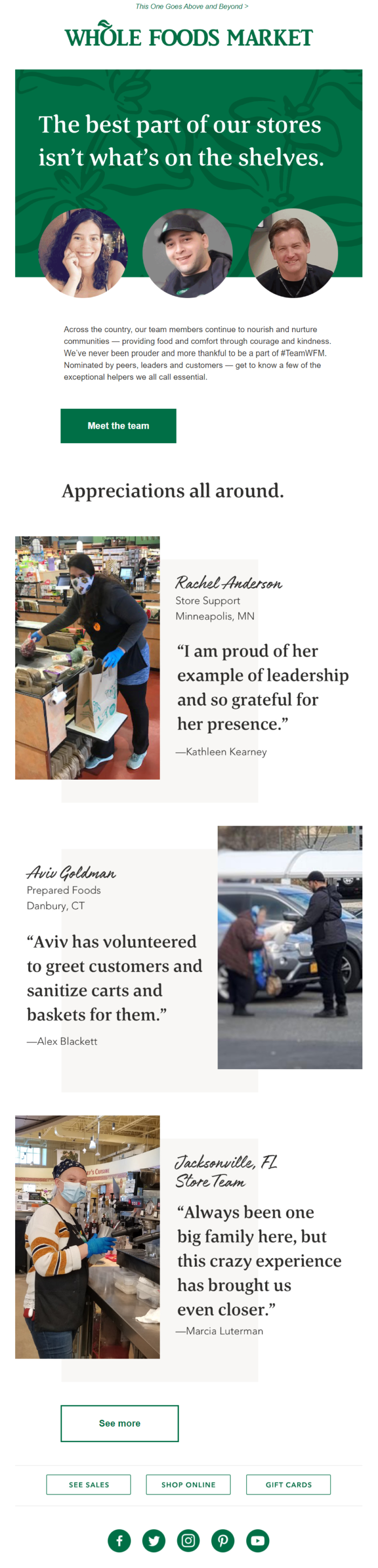
Whole Foods used real photos of their workers in this email, so they’re 100% relevant to the content:
4. Don’t use images just for the sake of adding imagery in ecommerce emails.
The UX experts at Nielsen-Norman found that using images just for their own sake doesn’t do you any favors.
Emails rely more on design elements like color, headings, and images to inspire readers to act. That’s why it’s always worth investing in a library of original content when it comes to imagery in ecommerce emails.
5. Do use bulletproof CTA buttons against imagery in ecommerce emails.
You’ve seen bulletproof CTA buttons in your inbox before. These are those bright clickable buttons with a CTA phrase.
Bulletproof buttons are useful for image-heavy emails because they ensure your CTA copy stands out against the background image.
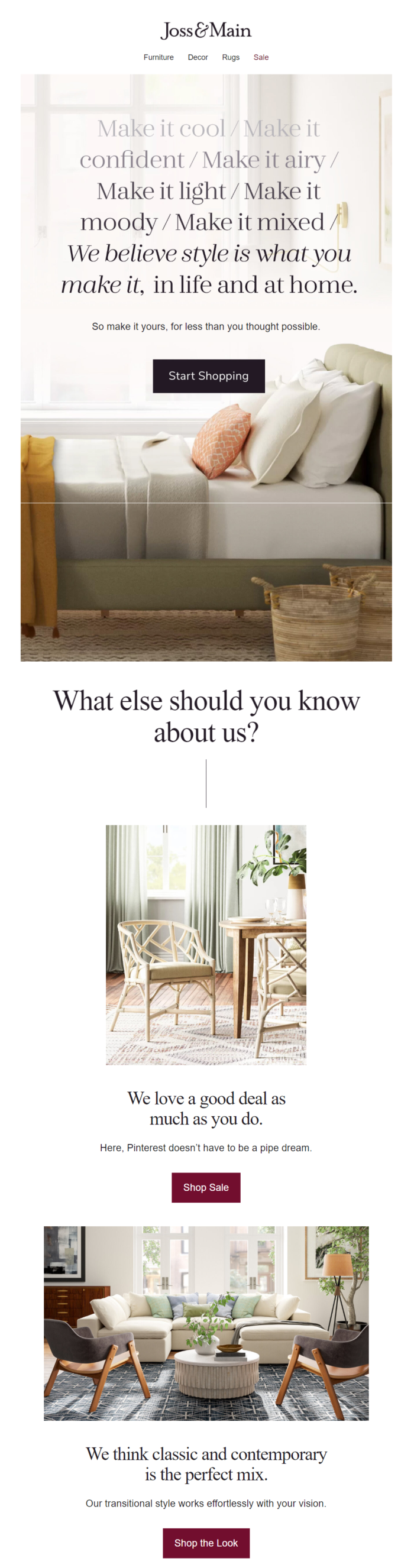
Joss & Main used black and burgundy CTA buttons to make sure their clickable CTAs were easy to distinguish from the images.
6. Don’t let your copy and hyperlinks blend into the imagery in ecommerce emails.
Hyperlinks work best when surrounded by lots of whitespace. Ideally, you’d only use hyperlinks in text-only emails.
When you’re laying copy and hyperlinks on top of your imagery in ecommerce emails, however, they can quickly get lost—no matter how hard you try to choose contrasting colors.
This is especially troublesome for folks with colorblindness.
7. Do incorporate thoughtful branding to imagery in ecommerce emails.
Images make for an awesome opportunity to play with branding in unique ways:
- Choose images that include splashes of your brand’s color.
- Toss your logo into the corner of images.
- Lay a filter of your brand’s color over entire images.
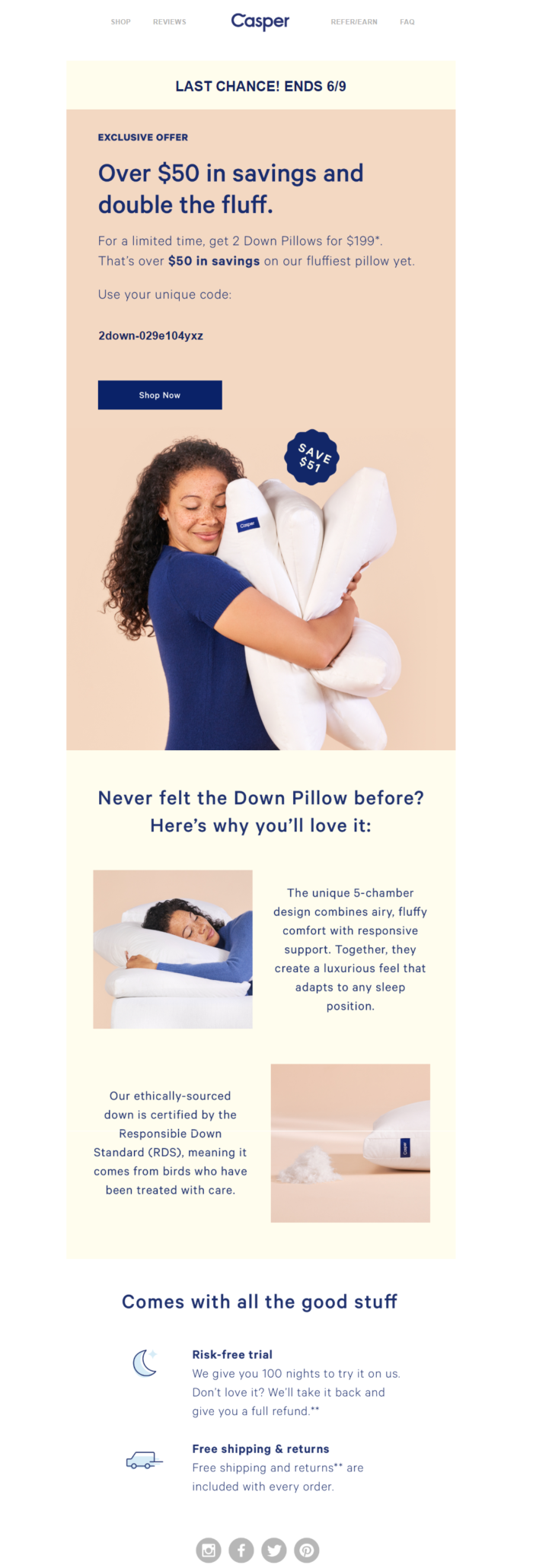
See how the woman in this Casper email is wearing a shirt in their brand’s signature deep blue color? That’s intentional.
8. Don’t forget to consider the emotions associated with your images.
It’s also important to consider the unique emotions your images will trigger in your audience. For instance, current events can impact the way certain images are seen, as can the content that goes along with them. Be mindful with each image before you publish it.
9. Do use GIFs to liven up your imagery in ecommerce emails.
GIFs are useful pieces of imagery in ecommerce emails that help explain complex ideas and can help boost overall engagement. However, Nielsen-Norman recommends using the same strategy you’d use with static images: Make sure they’re relevant and add value to the content.
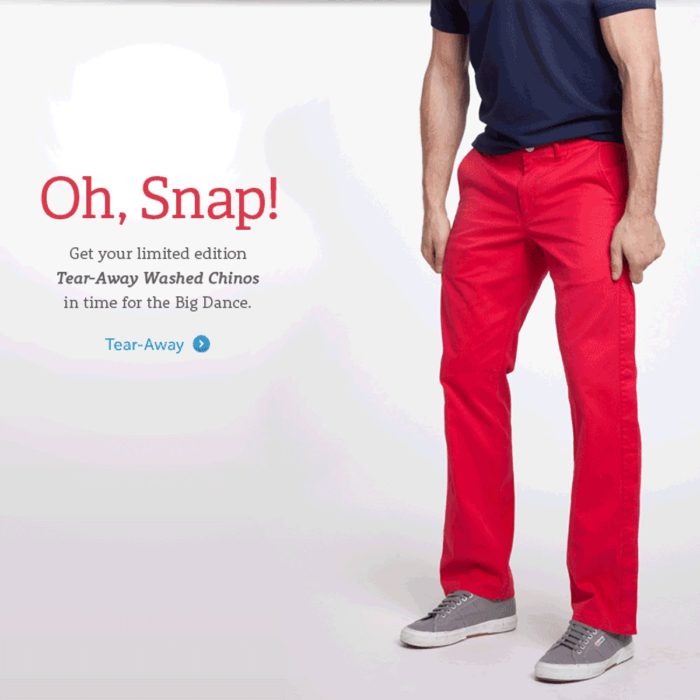
GIFs for their own sake can feel annoying, untrustworthy, or distracting. Bonobos used a GIF here quite effectively to explain how their product works:
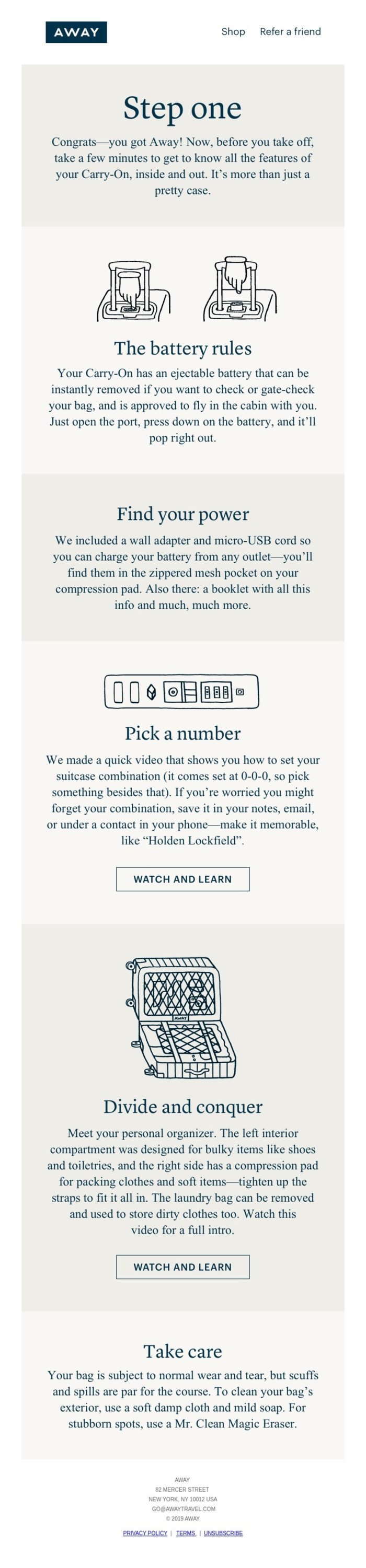
10. Don’t forget to use infographics in your emails.
Like GIFs, infographics allow you to explain complex topics with minimal effort and in a visually pleasing way. Use them in your ecommerce email campaigns as tutorials to explain how to use your products.
11. Do use high-quality imagery in ecommerce emails.
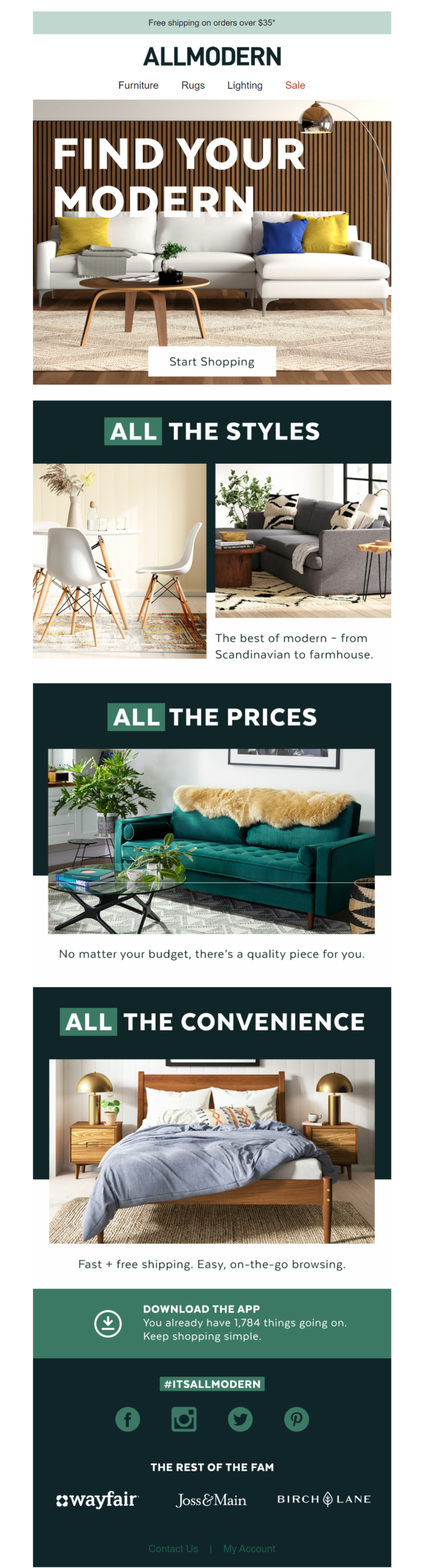
Remember, over two-thirds of consumers say the quality of your imagery in ecommerce emails is more important than the text information you use to describe the product.
JPGs are fine for small images. When you use huge images for products or flyer-style emails, however, choose PNG files, so they don’t end up pixelated.
All Modern uses high-quality images to ensure their products look crisp and are attention grabbing:
12. Don’t allow high-resolution images to weigh down your email campaigns.
Here’s the catch-22: You want to use the highest-quality images possible, but you don’t want your emails to take forever to load.
The ideal load time for a website is just three seconds, so make sure to test your emails for speed with different types and sizes of images.
13. Do include ALT text for your imagery in ecommerce emails.
Remember, we stated earlier that businesses that keep images off by default.
These folks—along with the 2.2 billion people around the world with vision impairments—rely on ALT text to understand what your images are about.
Use more descriptive ALT text for your email images than you would for Shopify or WordPress SEO purposes. Your ALT text is your only chance for subscribers to understand what’s in the images they can’t see.
14. Don’t forget typographical hierarchy.
When you start laying text over images, things can quickly get complicated.
Nielsen-Norman recommends paying close attention to the fonts and sizes you use on top of your imagery in ecommerce emails.
Images and their copy’s fonts/sizes should be easy to scan, as World Market did here:

15. Do build a library of user-generated imagery for ecommerce emails.
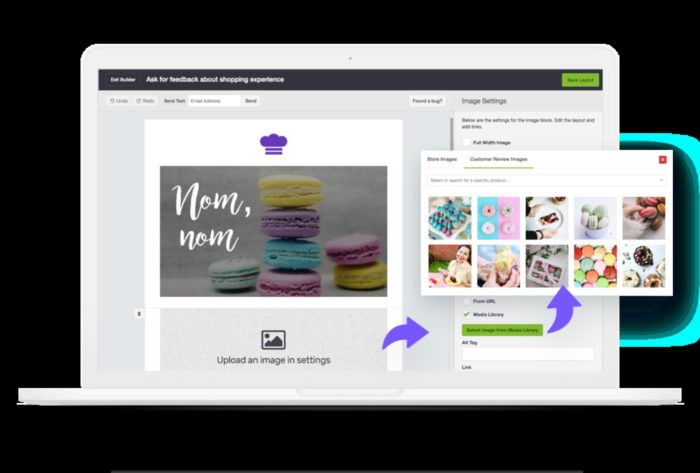
Easy-to-use automation tools like CM Commerce can help you generate authentic reviews with user-generated images. You can build a comprehensive library of high-quality user-generated photos to search and embed in your emails for relevant products.
16. Don’t forget to consider different devices.
Keep in mind that images will display differently on laptop screens than on smartphones. Always run plenty of tests to make sure your images look as intended on every device.
CM Commerce can help you design mobile-responsive and mobile-first emails, so your images always load properly and look amazing on every device.
Wrap up
Images are a critical part of your email strategy. They help convey emotion and product information more effectively than copy ever can.
At the same time, the quality, type, and style of your imagery in ecommerce emails matter. Low-quality images can deteriorate trust and turn away sales.
- Don’t rely on images alone to explain your message.
- Build a library of user-generated images with reviews.
- Pay close attention to colors, copy, and relevant emotions.
- Make sure your images are 100% relevant and necessary.
- Use images and infographics to explain complex topics.
Want to learn more about building a custom library of user-generated images to use in your ecommerce emails? CM Commerce can help.